Gearing up for payroll audits: A step by step checklist for next level compliance solutions
The real cost of panic: Stop wasting time on the payroll audit scramble!
If you’re a Payroll Head or an HR Manager, let’s skip the fancy talk. When a Government Auditor walks in asking to see all your old records for the last 3-5 years, you know what happens next: Total Panic.
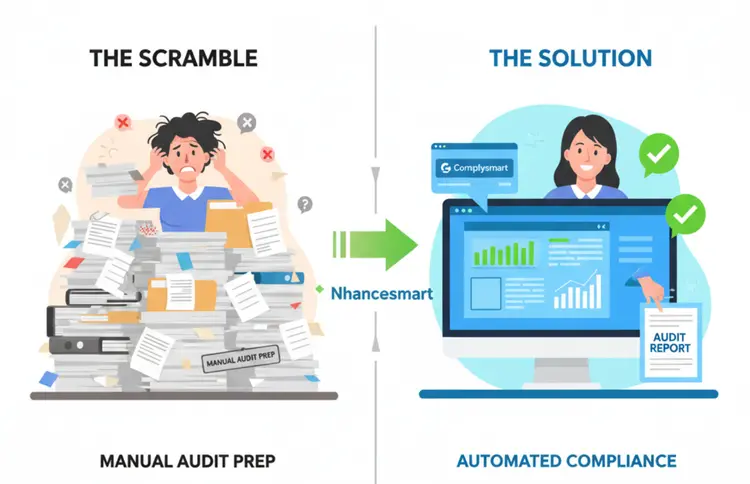
It’s not just about the auditor; it’s the week of chaos before they arrive. It’s your team dropping everything to dig up records from three years ago. It’s the stress of finding out your PF/ESI filings were done in a dozen different messy spreadsheets.
This “Pre Audit Scramble” is the most expensive, non productive week of your year.
The good news? The days of chaos are over. Your compliance posture doesn’t have to be a mess. You just need a system that builds your audit defense automatically.
A truly compliant business is one that is ready for an audit every single day. The key is an automated system like Complysmart. It doesn’t just file your returns; it also makes your audit defense strong in real-time.
Here is the exact 7-step checklist my team at Nhancesmart uses to make sure our clients and their payroll records are super strong for any audit, big or small.
The 7-Step Payroll Audit Readiness Checklist (For HR & Payroll Teams)
Step 1: Find Out What the Audit Covers (The “Time Frame”)
Before you pull even one document, you must know exactly what the auditor is checking.
Action: Talk to the auditor (it could be your own company’s auditor or a government one) and confirm the details:
Time Period: Is it the last financial year, or just a few months? (e.g., Apr 2024 to Mar 2025).
Focus Area: Are they checking only tax (TDS) or all the Labour Laws (PF, ESI, Minimum Wages)? In India, they usually look closely at Statutory Compliance.
The Complysmart Advantage: Your dedicated Nhancesmart expert gives you a heads-up based on the latest government rules, making sure you focus on the riskiest areas first.
Step 2: Get All the Important Documents Ready
Auditors rely totally on your documents. If you can’t show it, it’s like it never happened. You need to keep these main documents organized and saved digitally for super-fast access.
You need four core types of documents:
Employee Records: You must have job contracts, salary letters, and employee details (PAN, UAN, ESI No.). This is important for the government because it shows proof of pay rate and deductions.
Time & Attendance: Keep approved timesheets/attendance records and leave records handy. These documents allow the auditor to check overtime and leave rules.
Payment Records: You need your monthly payroll report, digital payslips, and bank records (showing the total money paid). This is necessary as it proves wages were paid correctly.
Statutory Returns: Have your monthly ECR (PF/ESI) slips, monthly Professional Tax forms, and all yearly returns ready. This proves that the money was sent to the government as required.
Step 3: Check Your Main Data (The Match Test)
This is where most mistakes happen. You need to check all your data to make sure it matches. It all needs to tell the same story.
Payroll Report vs. Time Data: Pick a small number of employees (say 10-15) and check the total hours they were paid in the Payroll Report against their approved attendance records. If anything is way off, fix it.
Deduction vs. Government Payment: Does the total PF/ESI taken from all employees in your Payroll Report for a month exactly match the money you sent to the government? If not, it’s a Big Problem.
Payroll Report vs. Main Accounting Book (GL): Make sure the total salary money in your monthly Payroll Report is an exact match for the salary entry in your GL.
Step 4: Check Your Government Rule Calculations
Auditors check if your math follows the latest state and central laws. Even if your payroll is right today, a simple mistake from six months ago can cause problems for the whole time period.
Check Minimum Wages: Make sure the salary you paid to your low-skilled workers meets the latest minimum wage rates for your state and industry.
Check Overtime: Make sure all employees who worked extra hours were paid at the legal rate (usually double the normal rate).
Nhancesmart Expertise: Our team of experts is always tracking these complicated state-by-state rule changes. This makes sure Complysmart’s math is always correct based on the latest government updates.
Step 5: Use Tech for Fast Reports (The Complysmart Power-Up)
If your audit team is making reports by hand, you’re wasting time. This is when you turn on your Compliance Solutions platform.
The Complysmart Feature: Instead of spending many days putting data together, you use the Easy Dashboard to create:
Special Reports that show you are following Minimum Wages and other key laws.
A full, auditor-ready report of all government returns you filed in that time.
The Benefit: You Save Time. You give the auditor a clean, complete report that came from one verified source, proving compliance in minutes, not days.
Step 6: Show a Clear, Secure History of Changes
Auditors don’t just want the final number; they want to see how you got there. In a manual system, this “how” is invisible.
The Complysmart Feature: The platform is built with Full Transparency. Every single thing you do every payment, every salary change, and every document approval is automatically recorded. This creates a secure, unchangeable history log.
The Benefit: If an auditor asks about an employee’s salary hike, you instantly pull up the digital history. It shows the date of the change, who approved it, and the new salary. This makes everything clear and stops any doubt or questions from the auditor.
Step 7: After the Audit: Fix Things for Good
The audit isn’t truly over when the auditor goes home. It’s your chance to get better.
Action: Look closely at any problems found (if there were any). Was it a data entry mistake? Did you miss a rule for a certain state?
The Nhancesmart Solution: Our team does more than just help you pass the audit; we help you fix the main reason for the mistake. We use the audit report to set up new checks inside the Complysmart platform. This makes sure the same error can never happen again. Always checking is the only way to be sure you have year-round compliance.
Final Thought: Compliance is a System, Not a Single Event
The most important thing to remember is simple: Being ready for a Payroll Audit just happens naturally when you use continuous, automated Compliance Solutions.
Stop treating the audit like an emergency that only happens once. Start using a modern Compliance Solution like Complysmart today. Set your HR and Payroll teams free from the stress of papers and spreadsheets. Give them the smart system they need to be effective, accurate, and ready for any audit, every single day.
Ready to change your audit prep from a last-minute panic to a smooth, standard process?